The Manual Copy-Paste Drain
Office staff spend hours retyping line items from supplier invoices, material bills, and delivery receipts into master tracking logs. It takes time away from higher-value work and invites entry errors.

Alden Data SolutionsDone for You
We build and manage practical data pipelines that connect to your existing Google Drive or OneDrive folders and spreadsheets. Your field crews and office staff keep the tools they already use. No disruptive new software to roll out.
No obligation. Plain language. Ask about a two-page proof of concept using your own typed PDFs.
| Source | Item | Qty | Unit | Status |
|---|---|---|---|---|
| INV-40318 | Ridge vent, 4 ft | 24 | $11.40 | Logged |
| INV-40318 | Synthetic underlayment | 9 | $118.75 | Logged |
| DT-2217 | Drip edge, white | 60 | $6.85 | Logged |
| photo_0412.jpg | Not supported | - | - | Not eligible |
Typed PDFs become rows. Photos and image-only scans are not supported.
Alden requires typed PDFs with an embedded, machine-readable text layer. Image-only scans, OCR processing, and handwriting extraction are not currently supported.
Supported
Not supported
Have paperwork that does not qualify? You can ask us about separately scoped manual data entry. It is not part of these packages, and we cannot promise it will be available for your situation.

Large platforms are often built for enterprise teams with IT departments. Local service businesses usually need something smaller: a reliable way to stop retyping the same paperwork.
You do not need a heavy subscription stack or months of staff training. You need the repetitive parts of your workflow handled in a way you understand, explained in plain language.
Office staff spend hours retyping line items from supplier invoices, material bills, and delivery receipts into master tracking logs. It takes time away from higher-value work and invites entry errors.
Job paperwork arrives in inboxes and shared folders faster than anyone can log it, so your permanent company records fall behind the work your crews are actually doing.
Vendor paperwork, insurance certificates, and compliance forms are easy to miss in a manual review. A structured log makes expiration dates and missing items easier to see and follow up on.
We skip the hype and focus on the friction points that slow your office down.
If your business spends hours moving data from incoming typed paperwork into spreadsheets or tracking logs, we can scope a custom pipeline for it.
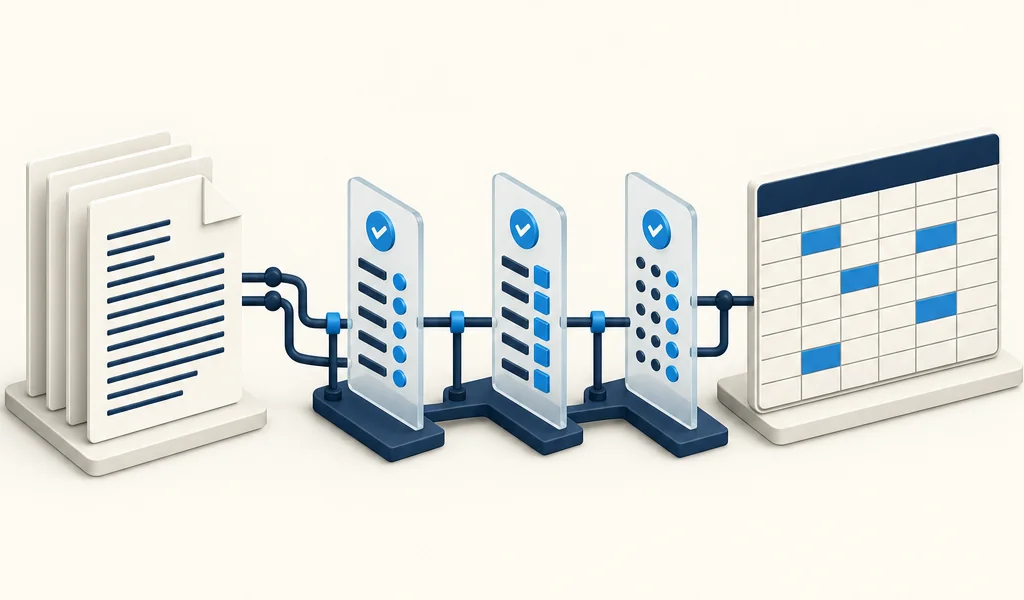
Your team places eligible files in an agreed folder on Google Drive or OneDrive, connected within the access scope we define together. Files must be typed PDFs with embedded, machine-readable text.
We design and build a pipeline around your document layouts and field rules. It reads the embedded text of eligible PDFs and maps the fields and line items you specified. Items that do not fit the rules are flagged for your team to review.
Extracted data is written into the Google Sheets or Excel Online spreadsheets we format with you, so your team keeps working in the files they already know, with far less retyping.
These are common starting points we scope with commercial roofing and construction teams. Supported templates can be configured for straightforward invoice workflows; new document families and more demanding requirements are scoped separately.

Turns typed, multi-page supplier invoices and delivery tickets into itemized spreadsheet rows, separating material descriptions, unit costs, and quantities for your job tracking logs.
Organizes fields from eligible typed PDF inspection reports into project milestone logs, so your permanent records can keep pace with work in the field.
Pulls coverage dates and key fields from typed COI PDFs into a tracking sheet with active or expired status, so your office can follow up before paperwork lapses. It supports your review; it is not legal advice or a guarantee of coverage.
Lines up typed multi-vendor material quotes by component category such as shingles, flashing, and underlayment, so your project desk can compare unit rates side by side.
Organizes line items from typed insurance carrier statements and adjuster printouts into one consistent sheet format, making approved scope items easier to carry onto work orders.
Start with a conversation, then a small proof using a couple of your own eligible pages. Both are free inquiries, arranged through the contact options below.
A short phone or video call. Show us where your office spends the most time typing, copy-pasting, or chasing records, and we will explain whether and how a pipeline could help.
Once we have agreed how samples will be shared and handled, send one or two typed PDF pages, such as a supplier invoice or compliance form. We will show you the spreadsheet output we would aim to produce.
No upload here. Contact us first and we will arrange next steps.
Founder-configured roofing document-to-spreadsheet automation. Not accounting software. The free two-page compatibility check above is separate from the paid $99 Starter batch below.
One-time batch
$99 one-time
Up to 20 invoices or 40 pages, whichever limit is reached first, from 1 supported layout. Summary fields into a standard spreadsheet with source references and missing or duplicate flags. Target: 2 business days.
Contact us about StarterSetup plus monthly
$499 setup + $79/month
1 Drive folder, 2 agreed layouts, and a custom master Google Sheet with summary and ordinary material line items. Up to 150 invoices or 300 pages per month. Setup target: 5-7 business days.
Contact us about StandardTyped PDFs with embedded text only. Allowances and turnaround targets are subject to sample validation and confirmed in your written scope; they are not guarantees. Essential, backlog, add-on, and custom options are listed on the full pricing page.
See full pricing details